Wallet Integration
Connect MetaMask to React for a Web3 Application
Build a safe wallet connection flow in React with account access, chain detection, event handling, rejection states, and clear security boundaries.
Ketan Kachariya 4 min read
On This Page
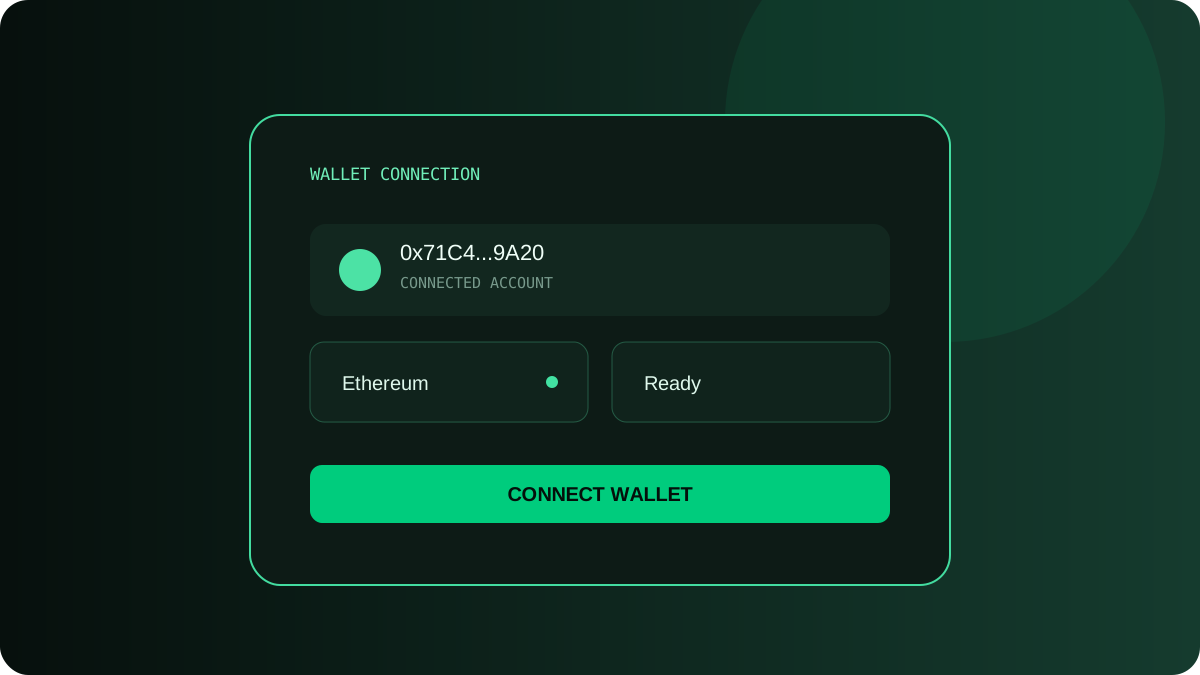
Connecting a browser wallet is a permission flow, not a login form that the application controls. MetaMask exposes an EIP-1193 provider to the page, but the user decides whether an account is shared and whether each signature or transaction is approved. A good React integration reflects that authority. It requests access only after a deliberate click, displays the selected account and network, responds to provider events, and never asks for a private key or recovery phrase.
Understand the browser provider boundary
When a supported extension is available, it may expose window.ethereum. That object transports JSON-RPC requests and emits wallet events; it is not an ethers Provider yet. Ethers.js BrowserProvider wraps the injected object with a consistent API. Detection alone does not mean the user is connected. An application can call eth_accounts to discover accounts already authorized for the site without triggering a prompt, then use eth_requestAccounts only in response to a connect action.
Build an explicit connection flow
Start in a neutral state while checking for an injected provider and previously authorized accounts. If no supported wallet exists, show an educational link rather than throwing an unhandled exception. When the visitor selects Connect Wallet, set a connecting state, request accounts, read the chain ID, and commit the account and network together. Handle an empty account list as disconnected. Wallet requests can be rejected, duplicated, or interrupted, so restore the button and show an actionable message in every failure path.
import { BrowserProvider } from "ethers";
import { useCallback, useEffect, useState } from "react";

export function WalletButton() {
  const [account, setAccount] = useState<string | null>(null);
  const [chainId, setChainId] = useState<string | null>(null);
  const [error, setError] = useState("");

  const connect = useCallback(async () => {
    if (!window.ethereum) {
      setError("A supported browser wallet is required.");
      return;
    }
    try {
      setError("");
      const provider = new BrowserProvider(window.ethereum);
      const accounts = await provider.send("eth_requestAccounts", []);
      const network = await provider.getNetwork();
      setAccount(accounts[0] ?? null);
      setChainId(network.chainId.toString());
    } catch (cause) {
      setError("Wallet connection was not completed.");
    }
  }, []);

  useEffect(() => {
    const wallet = window.ethereum;
    if (!wallet) return;
    const onAccounts = (accounts: string[]) => setAccount(accounts[0] ?? null);
    const onChain = (nextChainId: string) => setChainId(BigInt(nextChainId).toString());
    wallet.on("accountsChanged", onAccounts);
    wallet.on("chainChanged", onChain);
    return () => {
      wallet.removeListener("accountsChanged", onAccounts);
      wallet.removeListener("chainChanged", onChain);
    };
  }, []);

  return <button onClick={connect}>{account ? account : "Connect Wallet"}</button>;
}
Respond to account and network changes
accountsChanged can indicate a different selected account or an empty list after the site loses access. Clear signer-dependent state immediately when that happens. chainChanged uses a hexadecimal chain ID in the provider event; normalize it before comparison. A network change invalidates contract addresses, cached balances, fee estimates, and queries tied to the previous chain. Many applications reload the page, but a well-structured state layer can instead recreate providers and contracts, cancel stale requests, and refetch only the affected data.
Define what disconnect means
Most injected-wallet applications cannot remotely revoke the permission from the extension with a universal method. A local Disconnect button should clear application state and stop presenting the visitor as connected, while explaining that the wallet may still remember site authorization. The user can revoke connected-site permissions from the wallet UI. Do not claim a cryptographic session has ended if the application only cleared React state. If wallet signatures establish a backend session, invalidate that server session separately.
Treat rejection as an expected outcome
A rejected connection, signature, chain switch, or transaction is not an exceptional security incident. It is a normal user decision. Avoid repeating the prompt automatically; wallet software may reject concurrent requests as well. Map known error codes conservatively, preserve form data, and let the user retry. Log diagnostic context without addresses or transaction details that the product does not need. A message such as “Connection was not approved” is more accurate than “MetaMask failed.”
Keep wallet integration safe and honest
Display the origin and action clearly before opening the wallet. Never request a seed phrase, raw private key, or secret backup. Explain what a message signature will authorize; a signature can be used for authentication or approval even when it does not spend gas. Validate chain IDs and contract addresses in the application, and avoid rendering an address from untrusted input as if it were an official destination. Shorten addresses visually only after retaining an accessible way to inspect or copy the full value.
- Request account access only after a user gesture.
- Show a pending state while the wallet is open and block duplicate requests.
- Handle empty account arrays, chain changes, and removed permissions.
- Remove provider listeners when the component or provider changes.
- Test rejection, wrong-network, locked-wallet, and missing-extension states.
Restore sessions without surprising the user
On application start, use eth_accounts to discover accounts that were already authorized; do not call eth_requestAccounts automatically. This allows the interface to restore an existing session without opening a prompt. Treat an empty array as disconnected and render public read-only content when possible. If the provider changes accounts or chains during an in-flight request, associate the response with the context in which it began and discard stale UI updates. The wallet remains the authority for current permissions.
Connection is also different from authentication. A connected address proves only that the provider exposed an account to the page. For an authenticated backend session, issue a short-lived, origin-bound nonce, ask the wallet to sign a clearly described message, verify the signature on the server, and consume the nonce once. Do not reuse transaction signatures as login credentials or treat a previously seen address as proof of control. Expire sessions and provide an explicit sign-out path that clears application state even though wallet authorization may remain.
Make connection status understandable
A wallet button is the front door to every signed action in a DApp. Keep the underlying provider in a focused adapter, expose normalized account and network state to React, and make each permission request intentional. When the interface distinguishes detection, authorization, local connection state, and backend authentication, visitors know what has happened and developers have fewer stale-state bugs to diagnose.
Building a Web3 Product?
Need help with a DApp, smart contract integration, wallet connection, or production Web3 architecture? Let's discuss the engineering behind your product.
Discuss Your Web3 ProjectKeep Reading
Related Articles
DApp Development
FeaturedBuild a Web3 DApp with React and Ethereum
A practical architecture guide for connecting a React interface to Ethereum, reading contract state, sending transactions, and designing dependable wallet-aware UI.
Web3 Development
Ethers.js v6 Smart Contract Integration
Use Ethers.js v6 providers, signers, ABIs, contract reads, transaction writes, confirmations, and chain checks without mixing v5 patterns.
DApp Development
Smart Contract Integration with React
Connect a React frontend to a deployed contract with verified ABIs and addresses, reliable reads, transaction states, chain switching, and testable adapters.